Friday, 13 February 2015

13.02.2015 CONSTRUCTION: CONTINUED FORREST SCENES


Using PhotoSnack, I have made a slide show of the photos I took from our continued forrest shoot. PhotoSnack is a free slideshow maker software online.

Demi, Agatha, Sophie and I decided that we should start taking photos for the poster of our film opening, The Unhinging. 

The 3rd and 4th photos of the photo slide show I made, are examples of inspiration we took for our movie poster including shots of India behind trees with her face peeping out behind the trunk, India looking directly at the camera lens through the branches of a tree (with the green leaves being exposed to the camera creating a blurry effect in the edges of the shot) and India running directly towards the camera through a clearing of leaves in the forrest. 

We all agreed that we want to create a poster for our film, much like the posters of these films (some of these aren't of the same genre as our film, but their posters have the same layout we intend to create): 


I made this photo collage using piZap, an online photo editor and collage maker (please click to view).

This is a rough example - I have drawn this
Eye view movement - I have drawn this
I want to create a sense of 'level' in the photo, not in the sense of hierarchy and status but as if the chase sequence of Jack, India's kidnapping, is searching for her. For example, Jack may be running on the bottom right hand side of the poster with India running on the top left hand side of the poster. Also in the middle of the poster their could be a faint, outline of India's face behind the title of the film, creating a sense of mystery and suspense. 

I have acknowledged that the poster of our film opening should be appealing, eye catching and interesting to audiences, therefore attracting them to watch the film. I have acknowledged that the eye views objects, from 'right to left' in a zig-zag (shown above).  Therefore I feel that the main character, India, should be the first person the audience see. 

Thursday, 12 February 2015

12.02.15 CONSTRUCTION: FORREST SCENES


I used Photovisi to make a photo collage of the photos I took prior to filming (when make up was being applied on Demi, playing India) and whilst filming was taking place. Photovisi is a free, online photo collage maker and editing software online.

In class, Demi, Agatha, Sophie and I filmed the scenes when India (our main character) is running through the forrest, unaware that her kidnapper, Jack, is following closely behind her. We filmed shots of India running up to locked gates, struggling to unlock locks, frantically running down long, winding clearings in the forrest and quickly pushing past branches and sharp leaved bushes - as seen in the videos I recorded on my phone below.


Tuesday, 10 February 2015

10.02.2015 FUTURE LEARN FILM MAKING FROM SCRIPT TO SCREEN ONLINE COURSE


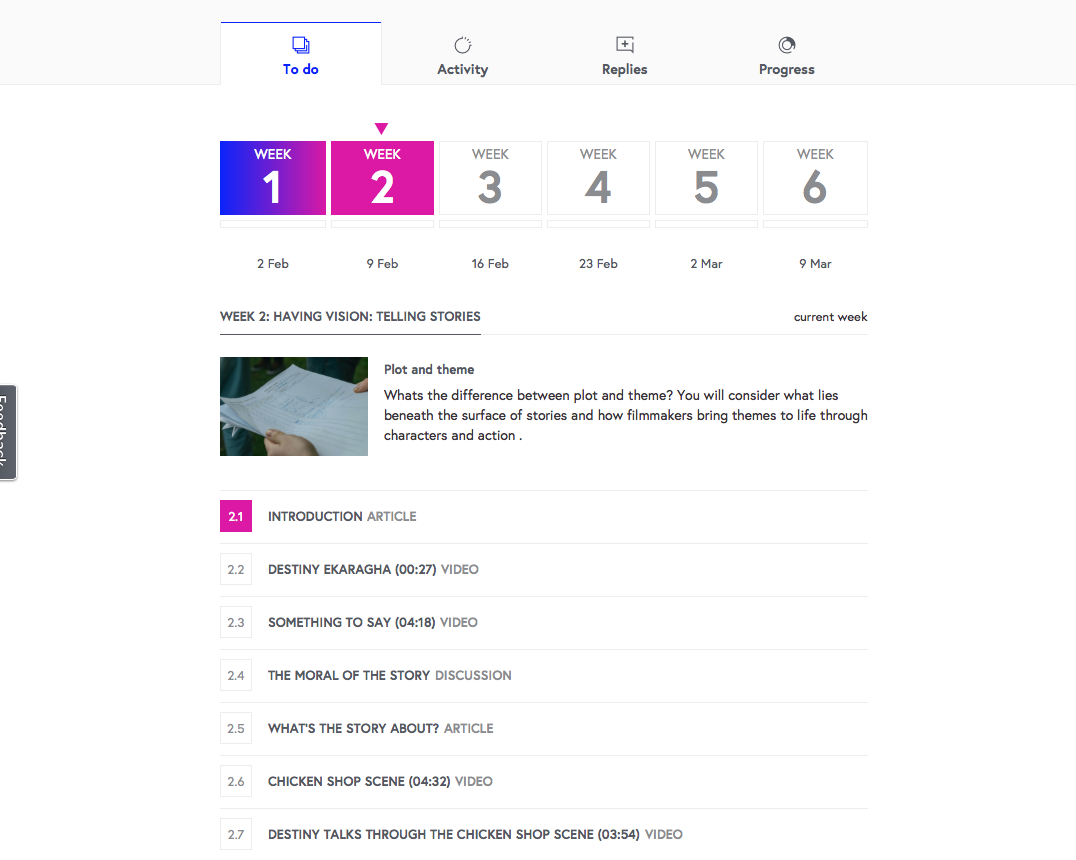
I have just signed up to a free online 6 week course on Future Learn focussing on the process of film making; how films get from script to screen with the help from award winning film makers from the NFTS and BFI Film Academy. This course will allow me to have a better understanding of how films get from script to screen. 

Throughout the 6 week course I will be looking at recent articles, videos of recent film makers describing the stages of making scenes of chosen, recent films as well as taking part in discussions on planning a scene, for example. 

I will be completing 3 hours per week for 6 weeks - receiving a certificate completing the course. 

I have tweeted about signing up to this 6 week film course on my twitter page - as seen on the right hand side twitter feed (scroll down to find tweet).


Friday, 6 February 2015

06.02.2015 PLANNING: LOCATION RECCE

A result of not being able to use the cameras from Media Studies, we completed a location recce in the woods at Claremont instead. In order to be organised for future filming, Demi, Sophie and I decided that we should go and check our location for any changes or possible problems we may encounter; also this allows us more time to edit the shots in the studio.

We found an abandoned 'gardeners' shed in the woods, that was dilapidated, full of leaves, debris and had damp areas such as below the open, roofed section. Although this location, the abandoned shed, wasn't planned to be used in our film opening, I felt we could use a few second shots of this location when our main character, India, is lost in the woods looking for shelter whilst hiding from our main antagonist, Jack. Due to the open, roofed section of the shed that allows sunlight to flow in creating a highlighting, beam effect, of India for example if she stands underneath it, showcases her bruises, cuts and torn clothing, highlighting how vulnerable she is.

I made a photo collage in BeFunky, a free photo collage and editing software online.


06.02.2015 FILMING: MAKE UP

Demi, Sophie and I intended on filming the woodland scene in media, however we realised that we were unable to use the cameras in Media Studies. Prior to realising, this we decided to put the correct make up on India, our main character, using dark coloured, earthy, eyeshadows such as a palate of kohl, green and grey eyeshadows, blending out the edges of the layers of colours creating bruising. As shown in the video below. 


We did this around the mouth, top of the cheek bone and side of the forehead, making it appear that India's bruising was recently made therefore showing that she regularly physically abused by her kidnapper, Jack.

We decided that adding fake blood would make the make up look gory, fresh and suited to India's background of being abused. Also adding such a bright colour, red, would make the bruising on her face stand out to the camera compared to the dark, shading of eyeshadow around the mouth and upper sections of the face.

I made this photo collage of the photos I took whilst India was being made up, on PicMonkey, a free photo editing and collage creating software online.


Saturday, 31 January 2015

31.01.2015 CONSTRUCTION: FIRST STAGES OF MAKING OUR IDENT

In class, Agatha, Sophie and I continued making our Ident for our film opening. After unintenionally putting our indent filming to one side, we decided that it would be appropriate for us to continue filming it with our Hue HD Camera on iStopMotion.

Click on my presentation below to view on a larger screen.